
A self-custody wallet for Apple Watch
Keep your keys off your phone.
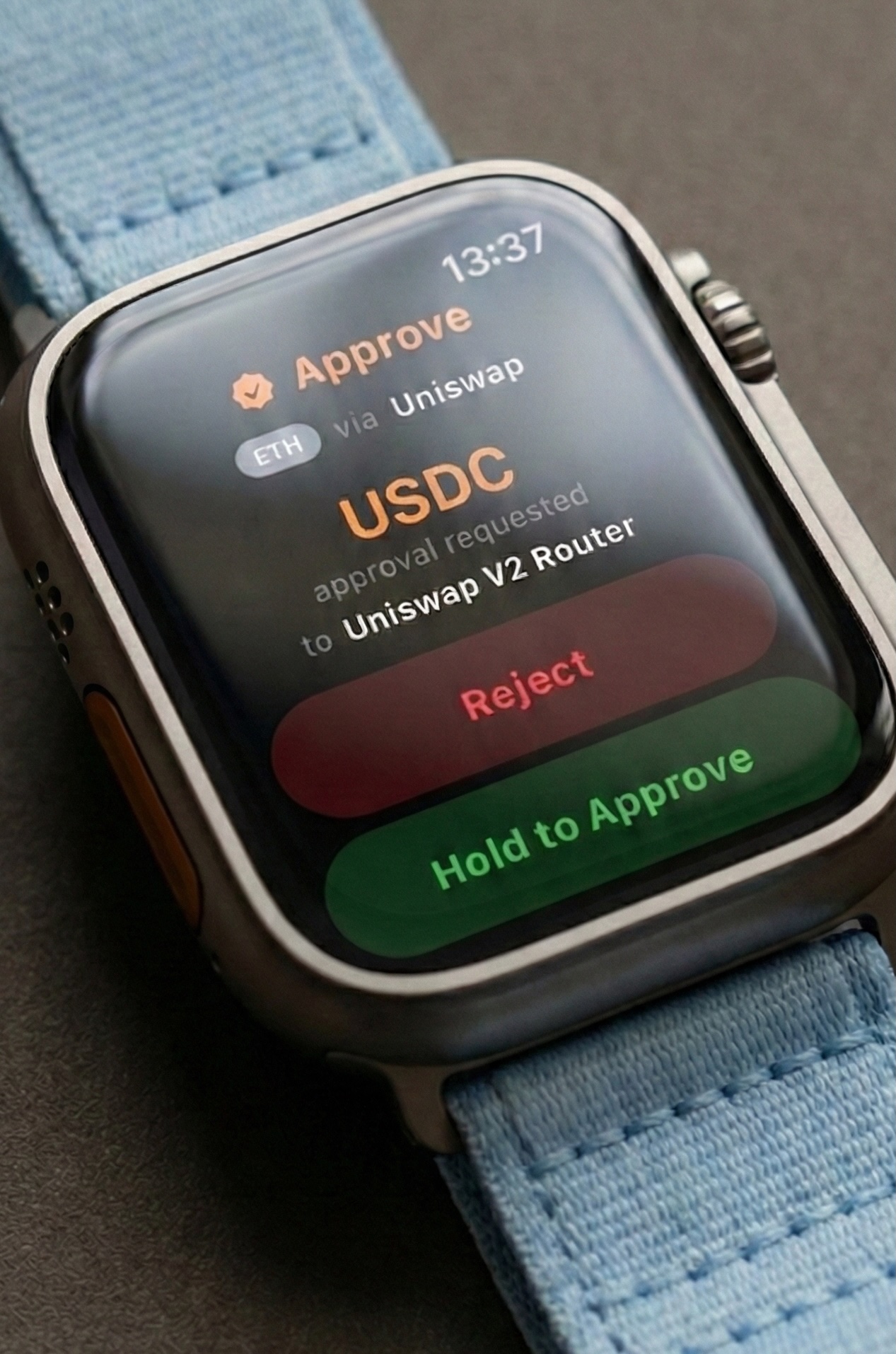
You approve every transfer from the watch on your wrist. The iPhone can prepare and relay a request, but it cannot sign one.
Why a second device
You keep signing authority on a separate device.
A mobile wallet usually receives transaction requests and holds the keys on the same phone. A dedicated hardware wallet separates those roles. Cryptograph keeps that separate signing authority on Apple Watch.
When the iPhone prepares a request, you approve it on Apple Watch.
From request to signature.
Follow an iPhone request to Apple Watch and back.
-
01 · Prepare
The iPhone prepares the request
Your iPhone handles WalletConnect and network traffic, then sends an unsigned request to Apple Watch.
-
02 · Decode
Apple Watch reads it
Apple Watch decodes the transaction bytes itself, without relying on a summary from the iPhone.
-
03 · Decide
You review every transfer
Read the amount, destination, and any fee or contract action shown on the watch. Hold to approve, or reject the request from the same screen.
-
04 · Sign
Apple Watch signs it
After you approve, Apple Watch creates the signature. The iPhone relays it to the network.
The approval screen
What You See Is What You Sign.
The approval screen comes from the same watch-side decode used to produce the signature. The iPhone does not supply a separate display summary.
You review those decoded details on Apple Watch before a signature exists.
Read how Cryptograph works →The boundary
Your keys stay on Apple Watch.
The wallet mnemonic is stored in the watchOS Keychain. A non-exportable Secure Enclave key protects it at rest. Cryptograph derives blockchain signing keys on Apple Watch when they are needed.
- On Apple Watch
- Apple Watch holds your mnemonic and derives the signing keys. You review and approve each transaction there.
- On iPhone
- The iPhone shows your portfolio, prepares unsigned requests, and handles network traffic. Signing material stays off the iPhone.
- At Cryptograph
- No account. No analytics. No trackers. Network services still provide balances, prices, and optional notifications.
Limits and recovery
You still trust the platform and the update path.
That includes Apple Watch hardware, watchOS, App Store distribution, and Cryptograph's implementation.
A compromised iPhone can expose public wallet information or prepare a malicious request. You still approve every request on Apple Watch, so read the transaction shown there before you decide.
You can use Time Lock to add signing delays and Location Lock to apply a lower spend limit away from trusted places. Time Lock delays can slow coercion, but they cannot stop a sustained attacker.
You choose the PIN or passphrase that encrypts Recovery Sheet and Photo Backup on Apple Watch. Either backup can restore the wallet on another compatible Apple Watch. If the watch and every recovery copy are lost, the wallet cannot be recovered.